Overview
We’ve expanded the power and convenience of
Media Storage
to the Services (v2)
module for Calendars
! Users can now seamlessly browse, select, and insert images directly from Media Storage — making media management easier and more centralized than ever.What’s New?
Browse & Insert from Media Storage
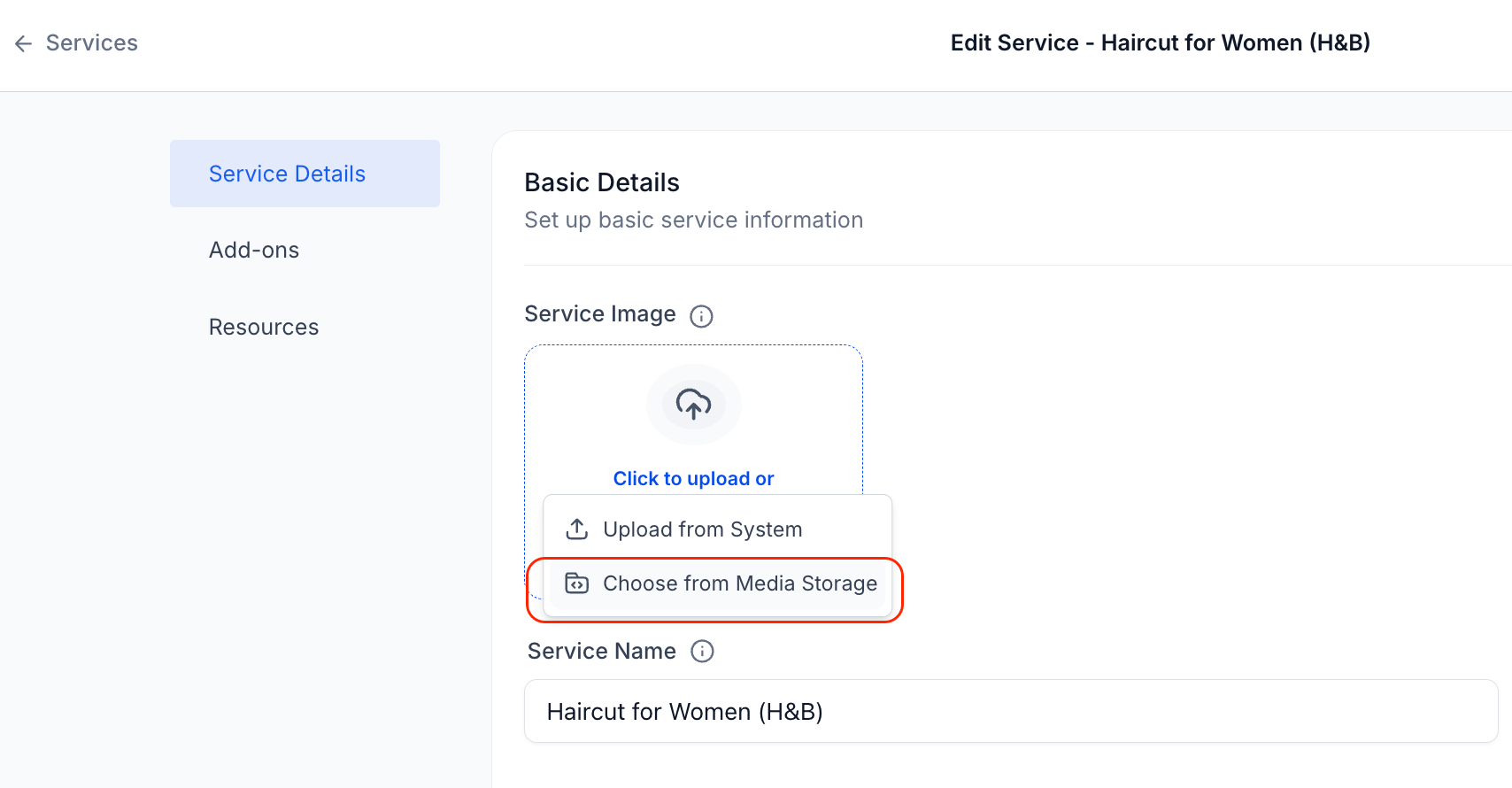
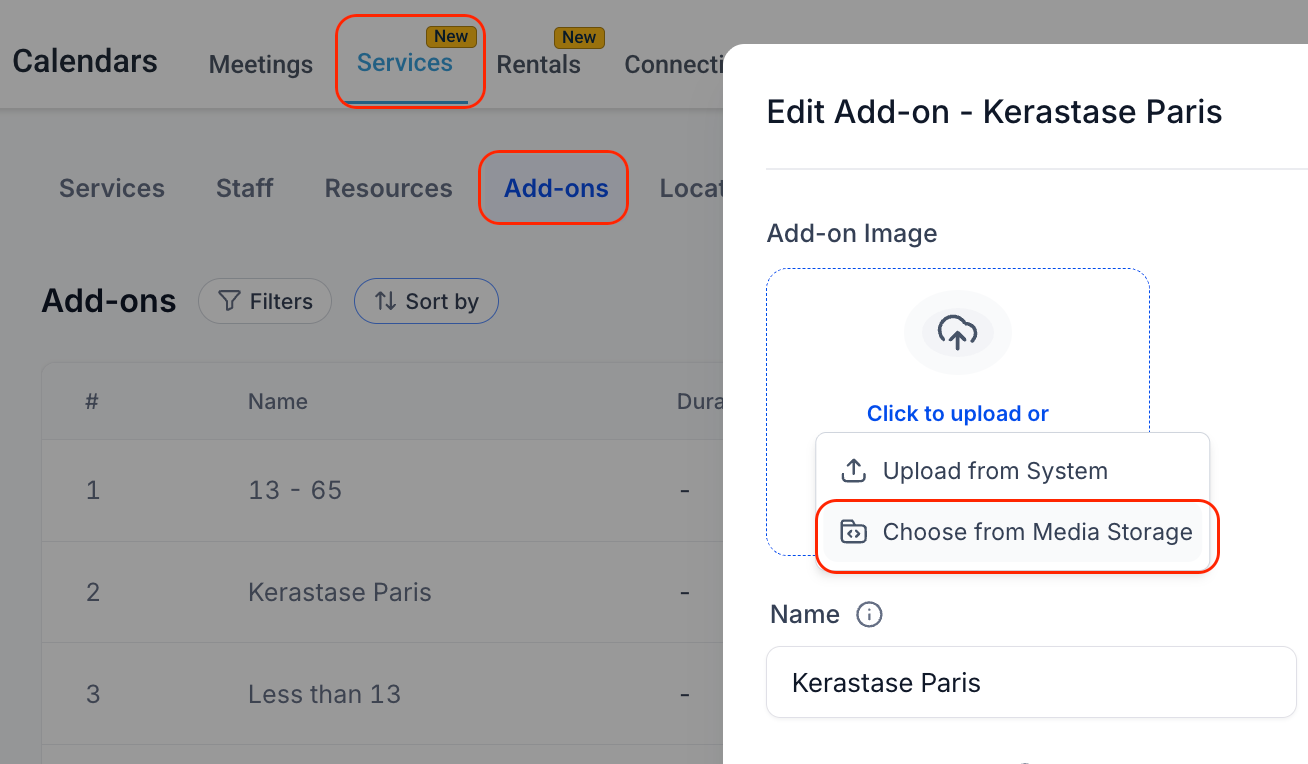
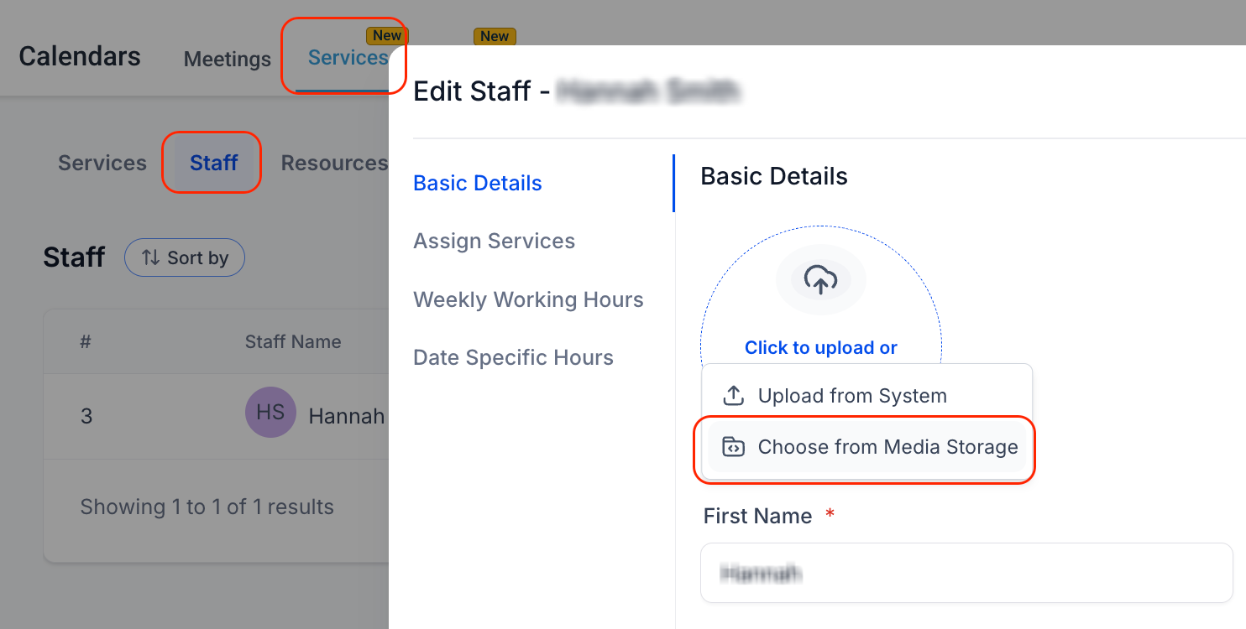
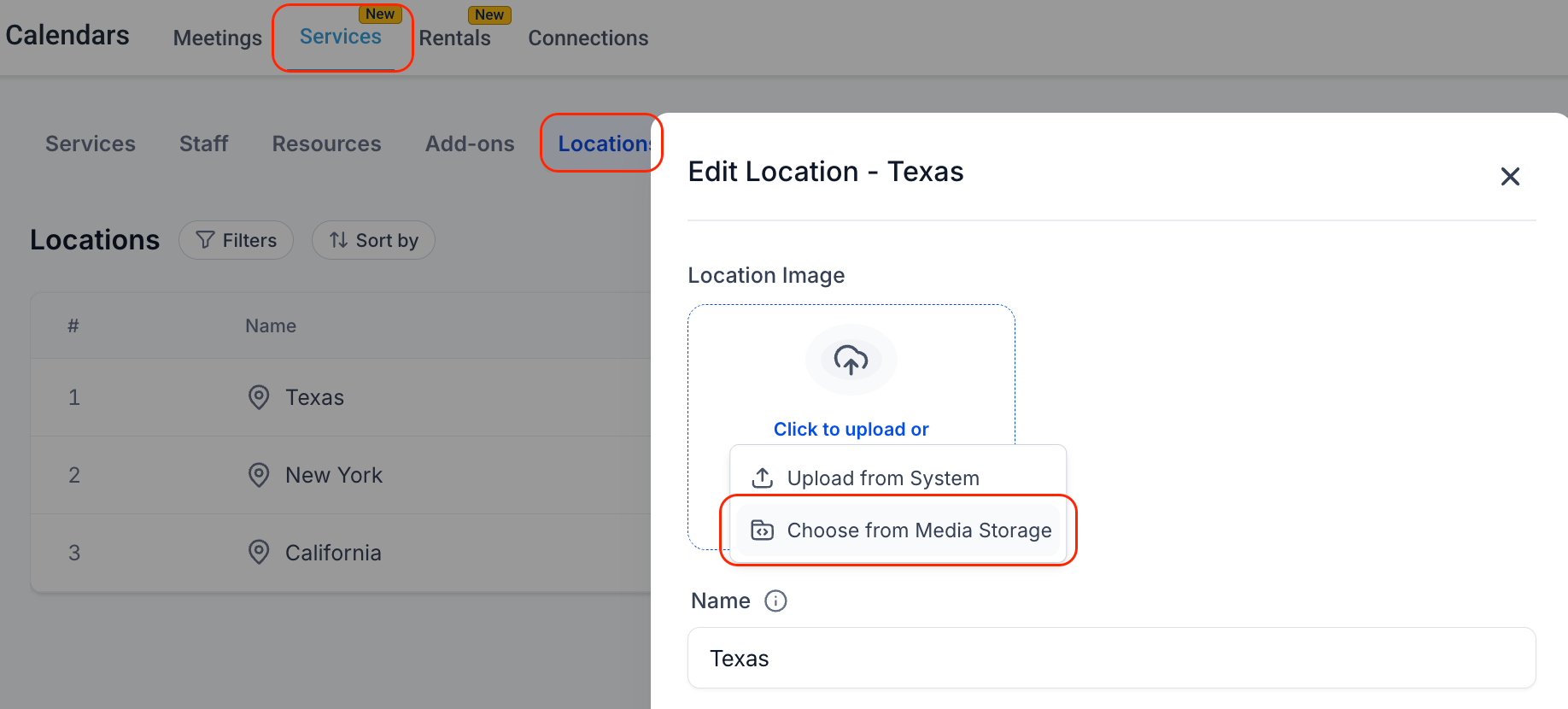
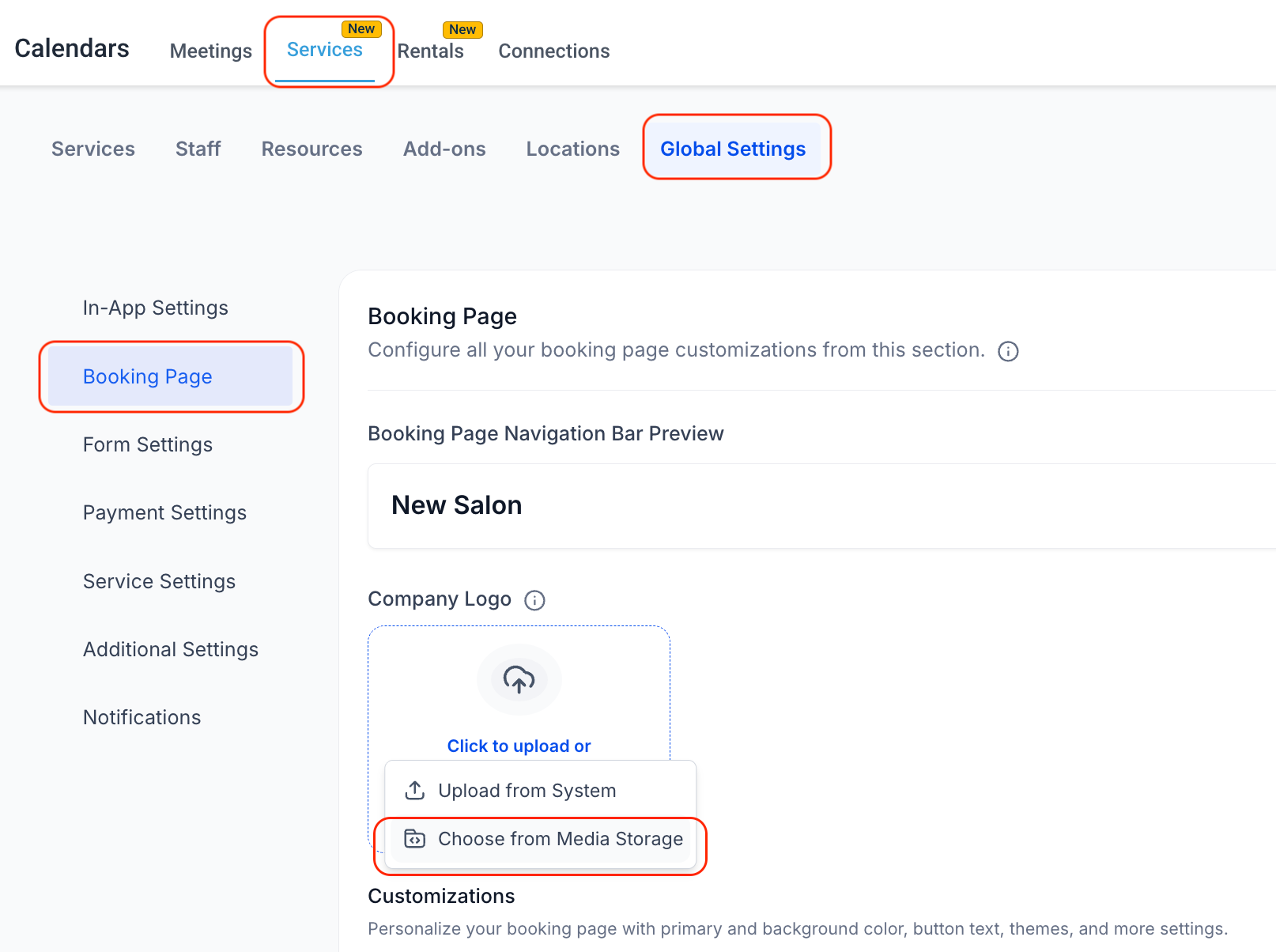
- You can now use the Media Storagedirectly from key places in Services — allowing you toupload existing assets instantly.
Available to Use Throughout the Module:
- You can use Media Storage to manage the image for all of the Service assets :
- Service Image: While creating or editing any Service underServicestab
- Add-On Image: While creating or editing any Add-On underAdd Onstab
- Staff Image: While creating or editing any Staff underStafftab
- Location Image: While creating or editing any Location underLocationstab
- Company Logo: UnderGlobal Settings > Booking Page > Company Logo
Access Media from Multiple Sources
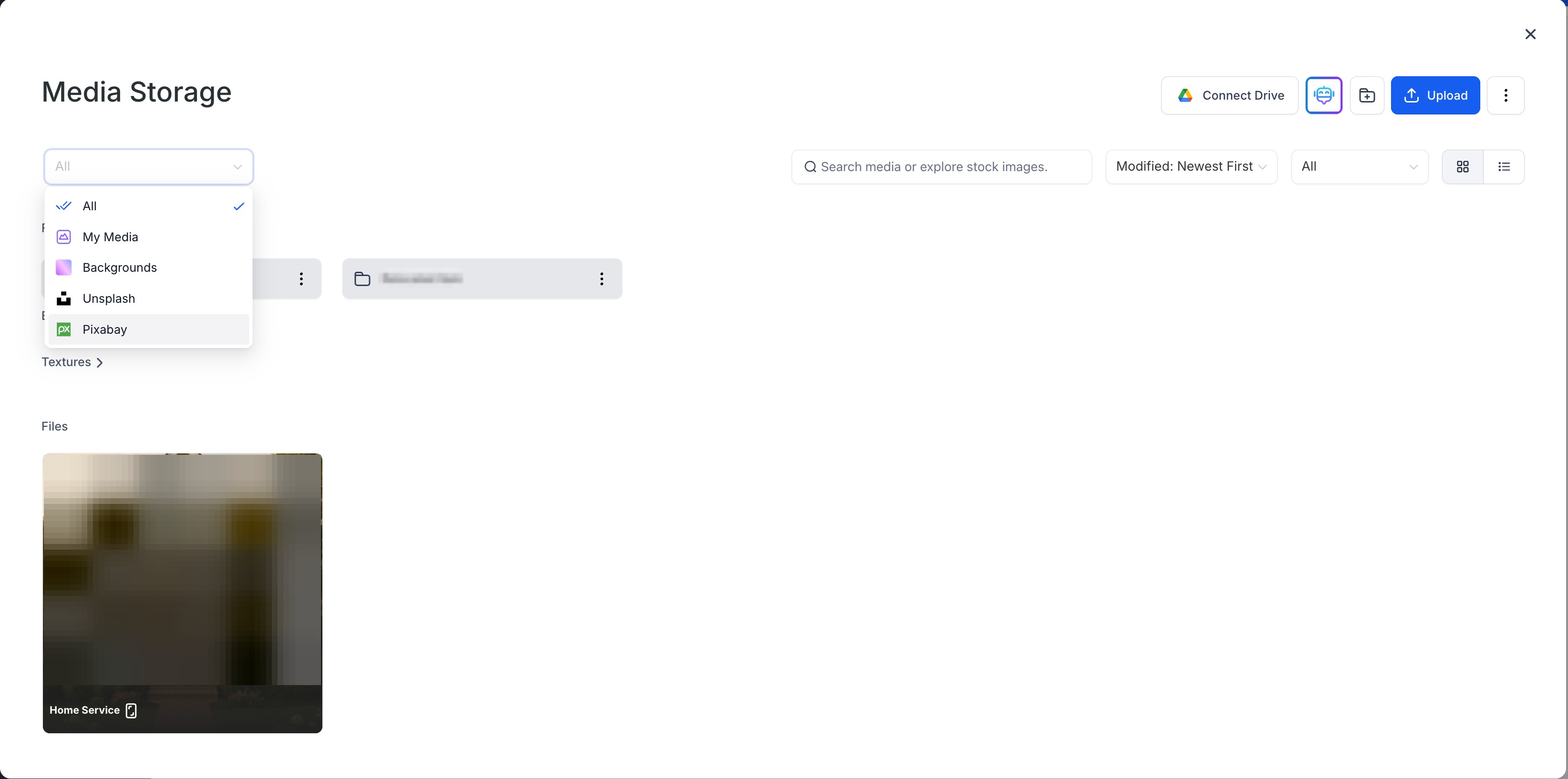
- Use images from your uploaded files, or pull from integrated sources like Unsplash, Pixabay, or Google Drive (if connected).
Why It Matters
- Centralized asset management leads to faster setup
- Consistent assets across all visual touchpoints
- Eliminates the need to repeatedly upload the same files across different areas
Was this article helpful?
That’s Great!
Thank you for your feedback
Sorry! We couldn't be helpful
Thank you for your feedback
Feedback sent
We appreciate your effort and will try to fix the article